


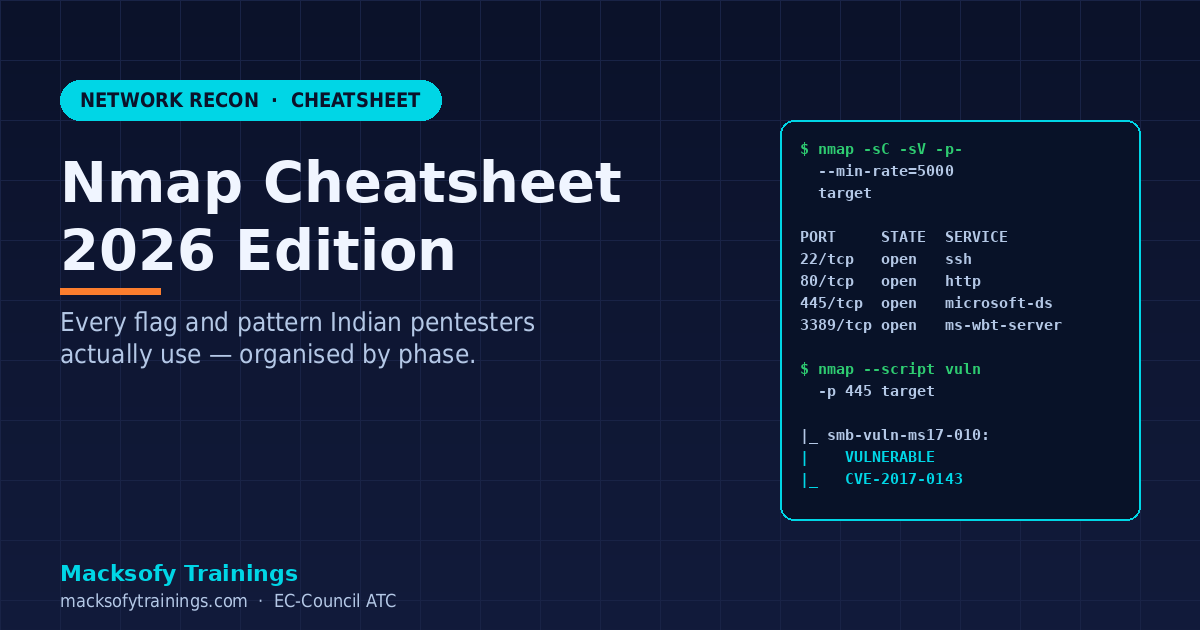
Nmap is the most-used tool in offensive security — and the most common “bottleneck” for OSCP candidates. This 2026 cheatsheet gives you every flag and pattern you’ll actually use in real pentests and CTFs, organised by the phase of the engagement.
Bookmark this page. Print the table below. Every red teamer at Macksofy Trainings keeps a version of it pinned to their second monitor.
Quick reference table
| Phase | Command | Purpose |
|---|---|---|
| Discovery | nmap -sn 192.168.1.0/24 | Ping sweep — who’s alive |
| Fast TCP | nmap -T4 -F target | Top 100 ports, fast |
| Full TCP | nmap -p- target | All 65,535 ports |
| UDP Top | nmap -sU --top-ports 50 target | Critical UDP services |
| Service detection | nmap -sV -sC -p 80,443,445 target | Banner + default scripts |
| OS fingerprint | nmap -O target | OS guess (requires root) |
| Vuln scripts | nmap --script vuln target | Generic vulnerability NSE |
| Stealth SYN | nmap -sS -Pn -T3 target | Half-open scan, no ping |
| Fragmented | nmap -f -mtu 24 target | Bypass simple packet filters |
| Output all | nmap -oA scan_result target | All 3 formats (normal/XML/grepable) |
Host discovery in depth
Before scanning ports, find live hosts. Over /24 networks this is usually fast; over /16 or larger it needs batching.
# Fast ping sweep, save alive hosts
nmap -sn --min-rate 1000 10.10.0.0/16 -oG - | awk '/Up$/{print $2}' > alive.txt

# ARP-based discovery on same subnet (most reliable)
nmap -PR 192.168.1.0/24

# No-ping discovery (when ICMP is blocked)
nmap -Pn target      # skip host discovery entirely
nmap -PS80,443,22 target   # TCP SYN ping
nmap -PA80 target    # TCP ACK ping
Port scanning strategies
For OSCP and most real engagements, the two-scan pattern wins:
# Scan 1 — fast, all ports, default timing
nmap -sS -p- --min-rate=5000 target -oG allports.gnmap

# Scan 2 — service + script on the open ports only
open_ports=$(grep -oP '\d+/open' allports.gnmap | cut -d/ -f1 | tr '\n' ',' | sed 's/,$//')
nmap -sC -sV -p $open_ports target -oA detail
This finds every open port in minutes, then deep-scans only those — much faster than -p- -sC -sV in one shot.
Timing templates
-T0paranoid — IDS evasion, very slow (hours per host)-T1sneaky — IDS evasion-T2polite — less bandwidth, friendly-T3normal — default-T4aggressive — fast, good for labs and CTFs-T5insane — risks dropped packets, use only on local networks
For production pentests, stay at -T3 or -T4. For stealth engagements, drop to -T2 or lower and add --max-rate.
Service and version detection
# Basic: -sV alone
nmap -sV target

# With default NSE category (safe)
nmap -sC -sV target

# Aggressive service probing (more accurate, noisier)
nmap -sV --version-intensity 9 target

# Light scan for fast triage
nmap -sV --version-intensity 0 target
-sV probes banners; -sC runs the default NSE script category (default = safe + informative). Together they usually reveal enough to pick an attack path.
NSE scripts — the hidden superpower
Nmap ships with 600+ NSE (Nmap Scripting Engine) scripts. Categories: auth, broadcast, brute, default, discovery, dos, exploit, external, fuzzer, intrusive, malware, safe, version, vuln.
# Run a specific script
nmap --script smb-enum-shares -p 445 target

# Run a whole category
nmap --script "vuln and safe" target

# List all scripts for a service
ls /usr/share/nmap/scripts/ | grep smb

# SMB enumeration combo (popular in OSCP and AD engagements)
nmap --script "smb-enum-shares,smb-enum-users,smb-vuln*" -p 139,445 target

# HTTP enum combo
nmap --script "http-enum,http-title,http-headers,http-methods" -p 80,443 target

# DNS zone transfer check
nmap --script dns-zone-transfer -p 53 --script-args dns-zone-transfer.domain=target.com target

# LDAP anonymous enum (AD engagements)
nmap -p 389 --script "ldap-search,ldap-rootdse" target
Firewall and IDS evasion
# Source port spoofing (pretend to be DNS)
nmap --source-port 53 target

# Decoy hosts
nmap -D RND:10 target       # 10 random decoys
nmap -D 10.0.0.1,ME,10.0.0.3 target   # specific decoys

# Fragmentation
nmap -f target              # 8-byte fragments
nmap --mtu 24 target        # custom fragment size

# MAC spoofing
nmap --spoof-mac Cisco target

# Proxy through HTTP / SOCKS (limited functionality)
nmap --proxies http://proxy:8080 target
Real modern EDRs catch naive Nmap traffic patterns. For red team engagements, prefer purpose-built recon like masscan for speed + nmap for targeted probes, and throttle aggressively.
Output formats for reporting
# All three formats at once
nmap -oA scan target
# Produces: scan.nmap (human), scan.xml (XML), scan.gnmap (grepable)

# HTML report with xsltproc
nmap -oX scan.xml target
xsltproc scan.xml -o scan.html

# Scripting with XML output
nmap -p- --open -oX out.xml target
python3 parse_nmap.py out.xml   # Python + xml.etree.ElementTree
Always save Nmap output — you will return to it a dozen times during the engagement. Grepable format is best for quick greps; XML is best for structured analysis.
Common engagement patterns
OSCP-style external recon
# Rustscan or masscan first for speed, then nmap for detail
rustscan -a target --ulimit 5000 -- -sC -sV -oA detail
# or
nmap -sS -p- --min-rate=5000 target -oG all.gnmap
nmap -sC -sV -p $(awk '/open/{gsub(/\//,","); print $0}' all.gnmap | tr ',' '\n' | awk -F= '{print $2}' | paste -sd,) target
Active Directory recon pre-enumeration
nmap -p 53,88,135,139,389,445,464,593,636,3268,3269 --script "ldap*,smb-os-discovery" target
# Identify DCs, domain name, OS version before Impacket/BloodHound work
See our full Active Directory Pentest Guide India 2026 for the phases that come after Nmap.
Web application pentest
# Port + tech enum
nmap -p 80,443,8080,8443 -sV --script "http-enum,http-title,http-headers,http-methods,http-server-header" target

# Vulnerable web services check
nmap --script "http-vuln-*" -p 80,443 target
Mistakes that cost OSCP candidates points
- Forgetting UDP — DNS (53), SNMP (161), NTP (123), IKE (500) are goldmines.
-sU --top-ports 50takes 2 minutes and pays back many. - Skipping
-p-— non-default ports (8443, 3128, 10000) hide useful services. - Not saving output — always
-oA. You will go back. - Relying on
-T4for stealth — it’s fast and loud. Use-T2or lower with--max-ratefor stealth. - Running
-sVagainst every port immediately — slow. Do-p-first, then-sVon open ports only.
FAQ
Do I need root for Nmap?
Root (or CAP_NET_RAW) enables SYN scan (-sS), OS detection (-O), and raw-packet scripts. Without root you’re stuck with TCP connect (-sT) — slower and more detectable.
Is Nmap allowed on OSCP exam?
Yes. OSCP explicitly permits Nmap. It’s one of the few automated tools you can use freely — but remember the OSCP “one commercial automated exploit per exam” rule applies only to exploitation tools, not scanners.
What’s better — Nmap or Rustscan?
Different tools. Rustscan finds open ports at 3-10x Nmap speed by multiplexing TCP connects. It then hands the results to Nmap for NSE + service detection. In 2026, the standard pattern is rustscan for discovery + nmap for depth.
How do I learn all NSE scripts?
You don’t. Memorise 15-20 you use constantly (the ones in this cheatsheet). For anything else, use --script-help when you need it. Most pentesters only use 30-40 scripts routinely.
Will Nmap be detected?
Almost always, at -T3+ against a modern network. For real red team work, use purpose-built stealth tools (Cobalt Strike’s port scanner, Sliver’s scanner) with slow-and-low timing. Nmap is transparent — design your tradecraft around that.
Want hands-on Nmap + pentest training?
Our OSCP bootcamp spends two full days drilling Nmap + rustscan + masscan patterns before moving to exploitation. If you’re preparing for OSCP or the CEH v13 AI certification, contact Macksofy for the next Mumbai batch dates.
References
- Nmap Network Scanning — official book
- NSE Scripts Documentation
- RustScan — faster discovery wrapper
- Masscan — high-speed port scanner

About the author — Yasir Arafat
Founder and Lead Instructor, Macksofy Trainings
Yasir designs OSCP, CEH v13 and SOC-200 curriculum at Macksofy Trainings, an EC-Council Accredited Training Center in Mumbai, and mentors candidates through practical certification exams.
What this page covers
- Quick reference table
- Host discovery in depth
- Port scanning strategies
- Timing templates
- Service and version detection
