


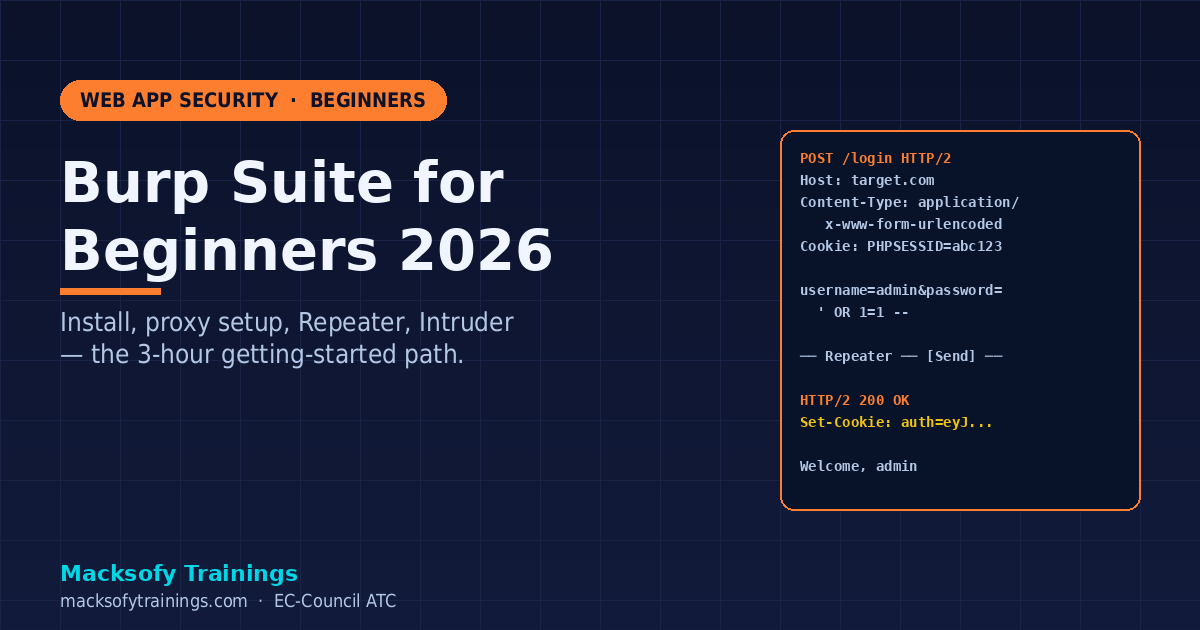
Burp Suite is the web pentester’s default tool — and the single biggest learning curve for beginners. This guide walks you from “never opened it” to “confident running a first web pentest” in about three hours of practice. No fluff, no 30-tab Burp-Pro-only features — just the Community Edition workflow every Indian bug-bounty hunter and application security engineer needs first.
Written by application security trainers at Macksofy Trainings who’ve placed 300+ web pentesters into Indian BFSI, Big 4, and product-company AppSec roles.
What is Burp Suite?
Burp Suite is a web application proxy + testing platform from PortSwigger. You point your browser at Burp, Burp intercepts every request and response, and you modify, replay, or automate those requests to find vulnerabilities. In 2026 it is effectively the industry standard — 80% of web pentest reports we see at Indian enterprises are produced with Burp.
Community vs Professional (2026 pricing)
| Feature | Community (Free) | Professional (~$475/yr) |
|---|---|---|
| Proxy | Yes | Yes |
| Repeater | Yes | Yes |
| Intruder | Yes (rate-limited) | Full speed |
| Scanner | No | Yes (primary Pro feature) |
| Extensions (BApp Store) | Most | All |
| Collaborator | Public | Private |
| Save / restore session | No | Yes |
For beginners: start with Community. Move to Pro only once you’re billing for engagements or doing serious bug-bounty work.
Install and set up (10 minutes)
- Download Burp Suite Community from PortSwigger.
- Install Java 21+ (most installers bundle this).
- Launch Burp → create a temporary project → accept defaults.
- Install FoxyProxy extension in your testing browser (Firefox preferred for pentesting).
- In FoxyProxy, add a profile:
127.0.0.1:8080, enable it. - Visit
http://burpsuitein the browser — download Burp’s CA certificate. - Install the CA cert in Firefox → Settings → Privacy → Certificates → Authorities → Import → check “trust for websites”.
Done. Every request your browser makes now flows through Burp.
Module 1: Proxy
The heart of Burp. Intercepts every request between browser and server.
- Intercept toggle — on = Burp holds each request so you can edit it; off = Burp passes through but still logs everything
- HTTP history — full log of every request; searchable, filterable, right-clickable to send elsewhere
- Target → Site map — visual tree of the app built from what you’ve browsed
Beginner workflow: leave Intercept off. Browse the application normally, logging in, clicking every feature, submitting every form. Burp builds the site map automatically. Then review HTTP history to find interesting requests to attack.
Module 2: Repeater — the single most-used tab
Send a request to Repeater (right-click → Send to Repeater, or Ctrl+R). Edit any part of it. Hit Send. See the response. Repeat.
This is how 90% of manual web testing happens. Find a suspicious request in HTTP history → Repeater → tweak parameters → watch responses.
Shortcuts to learn:
Ctrl+R— Send request to RepeaterCtrl+Space— Send current requestCtrl+Shift+U— URL-decode selected textCtrl+U— URL-encode selectedCtrl+B— Base64-decode selected
Module 3: Intruder — automating parameter attacks
When you need to try 1,000 payloads in one parameter — SQL injection, XSS, username enumeration, password spray — Intruder is the tool.
Four attack types:
- Sniper — one wordlist, cycles through each marked position sequentially
- Battering ram — same payload in all positions simultaneously
- Pitchfork — multiple wordlists, one payload from each per request (e.g. user + password from two lists in parallel)
- Cluster bomb — every combination (e.g. 100 users × 1000 passwords = 100,000 requests)
Community Edition throttles Intruder severely — it’s fine for learning but painful for real workloads. Alternatives: FFUF for brute force, Turbo Intruder (BApp, works on Community), or upgrade to Pro.
Module 4: Decoder, Comparer, Sequencer
Daily-use utilities:
- Decoder — paste anything, decode/encode in Base64, URL, HTML, Hex, ASCII, Gzip
- Comparer — compare two responses side-by-side (character or word diff). Essential for authentication bypass testing (“did the 200 OK response change when I flipped the JWT?”)
- Sequencer — randomness analysis on session tokens, CSRF tokens, password-reset tokens
Define your target scope — do this FIRST
Target → Scope → add your testing domain(s). Then in Proxy → Options → “Drop all out-of-scope items” → enabled. This stops Burp logging Facebook widgets, Google Analytics, and ad network traffic — which otherwise clutters your site map into uselessness.
For bug-bounty: always confirm the program’s scope before adding to Burp scope. Hitting out-of-scope endpoints kills your payout (and sometimes your account).
Your first web pentest workflow
- Set scope — add the target domain
- Walk the app — log in, click every link, submit every form
- Review HTTP history — look for parameters, API endpoints, auth tokens
- Find obvious issues — exposed IDs in URLs (IDOR), verbose errors (info disclosure), no CSRF tokens
- Repeater test — tweak one parameter at a time: change ID, empty field, add quote, add
<script> - Intruder payloads — username enum, directory brute force, injection wordlists
- Document — save request/response pairs with your notes
Practice against deliberately vulnerable apps: PortSwigger Web Security Academy (free and the gold standard in 2026), OWASP Juice Shop, DVWA, Hack The Box web challenges.
Must-have Community extensions
- Autorize — automates authorization testing (replay every request as a low-priv user, flag when you still succeed)
- Turbo Intruder — scripted Intruder, bypasses Community rate limits
- Logger++ — enhanced logging + search
- JSON Beautifier / JWT — inline JWT decoding
- Active Scan++ — extra checks for the Pro scanner (useless on Community, skip)
- Paramminer — finds hidden parameters your target secretly accepts
- Copy As Python-Requests — convert any request into a requests.py snippet
Install via Extender → BApp Store tab. Requires Jython for some; check install notes.
Common beginner mistakes
- Leaving Intercept on during normal browsing — you can’t navigate
- Not setting scope — Burp logs thousands of Google/Facebook requests
- Missing the CA cert install — HTTPS requests show ERR_CERT_AUTHORITY_INVALID
- Using Chrome — works, but Firefox’s certificate store and FoxyProxy are smoother for pentesting
- Not saving the project — Community can’t save sessions, so export interesting requests to file
- Trying to learn all 40 modules at once — master Proxy + Repeater + Intruder first; everything else is secondary
Where Burp Suite takes your career
Mastery of Burp unlocks:
- Web Application Security Engineer (₹6-12 LPA starter in India)
- Bug bounty hunter (₹10 lakh+/year for active hunters)
- AppSec consultant at Payatu, Lucideus, NII, SecureLayer7
- Product company AppSec (Razorpay, CRED, Nykaa, PhonePe — ₹15-30 LPA mid-career)
Combine Burp skills with OSCP or the OSWE cert (OffSec Web Expert) for senior roles.
FAQ
Is Burp Community enough for bug bounty?
Yes, for the first 12-18 months of your bounty career. Pro’s scanner adds automation, but experienced hunters often say manual Burp Community + Turbo Intruder + their own scripts find more bugs than Pro’s scanner alone. Upgrade when you can clearly articulate what you’ll do with scanner-only features.
Can I use Burp to test mobile apps?
Yes. Configure your phone’s Wi-Fi proxy to your laptop running Burp (enable “invisible proxy” if needed) and install Burp’s CA cert on the device. For iOS, add to system store; for Android 7+, only user-installed certs are trusted unless the app is explicitly built to trust user CAs. Frida or apk-mitm bypass the user-CA restriction.
Burp vs OWASP ZAP — which should I learn?
Burp is industry-dominant; learn Burp first. ZAP is excellent open-source and great for CI/CD automation. Most Indian enterprises specifically ask for “Burp experience” in AppSec JDs — not ZAP — so start with Burp.
Why is Burp so slow on my machine?
Increase Java heap: edit your Burp launcher’s -Xmx flag to -Xmx4g or -Xmx8g. Also disable the “Live passive audit” under Scanner settings — it reruns passive checks on every request and is the #1 performance killer.
How do I avoid getting banned during bug bounty with Intruder?
Throttle. Intruder → Options → Resource pool → create a new pool with “Maximum concurrent requests = 2” and “Delay between requests = 2000 ms”. Stay under the program’s declared rate limits.
Level up with Macksofy
Our Web Application Pentest programme covers Burp, OWASP Top 10, IDOR, SSRF, business logic flaws, mobile app testing, and a 2-week live bug-bounty lab. Often paired with OSCP prep for full red-team readiness. Contact Macksofy Trainings for next batch dates.
References
- PortSwigger Web Security Academy — free, definitive
- Burp Suite Documentation
- OWASP Top 10 — 2021
- PortSwigger GitHub — BApp source
Related reading: Burp Suite is the core work surface for API testing too — see exactly how to apply it end to end in our complete guide to API security testing (2026) — the OWASP API Top 10, REST and GraphQL methodology, tools, defences and careers.

About the author — Yasir Arafat
Founder and Lead Instructor, Macksofy Trainings
Yasir designs OSCP, CEH v13 and SOC-200 curriculum at Macksofy Trainings, an EC-Council Accredited Training Center in Mumbai, and mentors candidates through practical certification exams.
What this page covers
- What is Burp Suite?
- Community vs Professional (2026 pricing)
- Install and set up (10 minutes)
- Module 1: Proxy
- Module 2: Repeater — the single most-used tab
